Servo motors explained: pulses, power and the Timer1 trap
How a hobby servo such as the SG90 turns a pulse into an angle, how to use the Servo library, how to power servos, and why the library stops analogWrite() on D9 and D10.
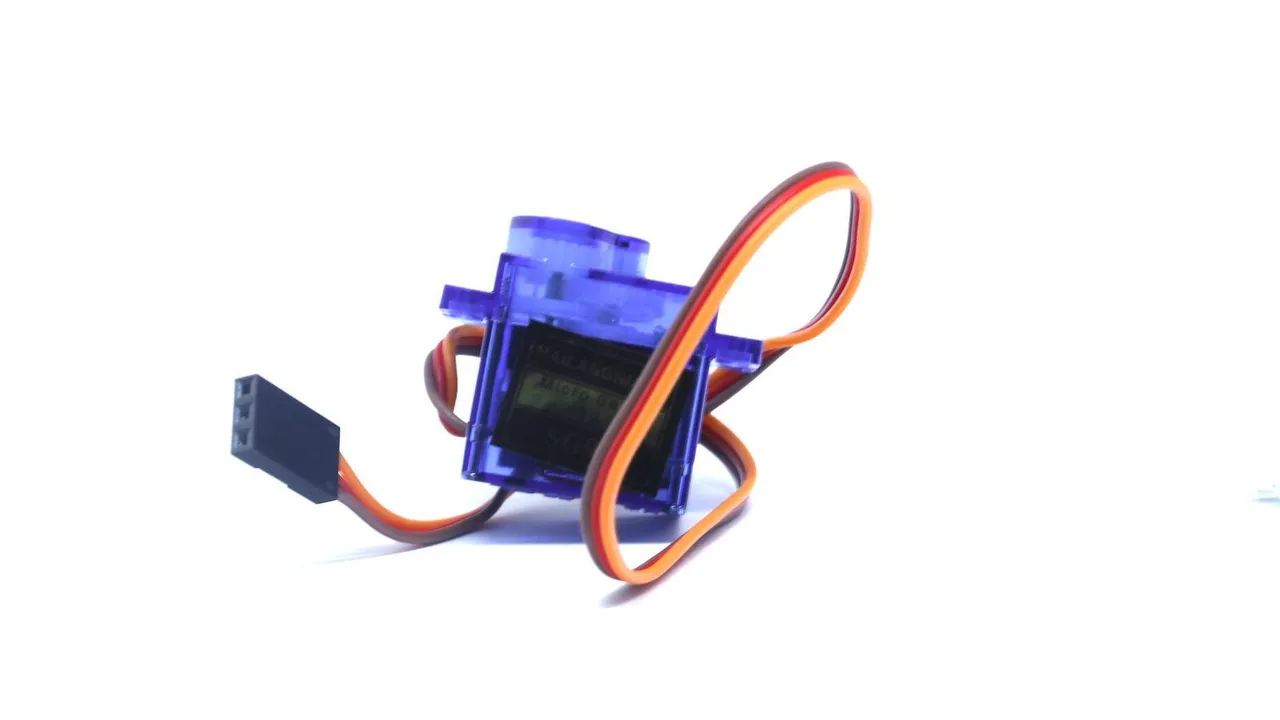
Photo: Lukas Ruge · CC0
A hobby servo turns its shaft to the angle you ask for and holds it there. It can point a sensor, move an arm or steer a wheel. The SG90 is a popular small one, and it is also one of the parts in the CoreEngine simulator.
What is inside
A servo is four parts in one small box:
- a small DC motor,
- a gearbox that makes the motor slower and stronger,
- a potentiometer on the output shaft, which measures the shaft's angle,
- a small control board.
The board compares the angle that the signal asks for with the angle that the potentiometer measures. If they differ, it drives the motor toward the target, harder when the difference is bigger. When they match, it stops. This is a closed loop, similar to the P controller in the Keep-distance robot.
The SG90 has three wires: brown is GND, red is the supply (4.8-6 V), and orange is the signal.
The signal: one pulse every 20 ms
The servo expects 50 pulses per second, one every 20 ms. The width of each pulse, not the number of pulses, sets the angle. With the defaults of the Arduino Servo library:
| Pulse width | Angle |
|---|---|
| 544 µs | 0 degrees |
| about 1,472 µs | 90 degrees |
| 2,400 µs | 180 degrees |
That is about 10 µs per degree. These defaults are not exact for every servo. Many SG90s do not turn exactly 180 degrees, and some reach their end stop before 0 or 180.
The servo holds its angle only while the pulses keep coming. Without pulses, most small servos stop driving their motor, and you can turn the horn by hand.
The Servo library
The library makes the pulses for you, in the background, on any digital pin:
#include <Servo.h>

Servo arm;              // one Servo object for each servo

void setup() {
  arm.attach(11);       // signal wire (orange) on D11, a free pin on the robot car
  arm.write(90);        // turn to the middle
}
The most useful calls:
| Call | What it does |
|---|---|
arm.attach(11) |
starts the pulses on D11, with the default 544-2400 µs |
arm.attach(11, 600, 2300) |
the same, with your own pulse widths for 0 and 180 degrees (example values) |
arm.write(45) |
turns to 45 degrees |
arm.writeMicroseconds(1500) |
sets the pulse width directly, in µs |
arm.read() |
returns the last angle you asked for; it does not measure anything |
arm.detach() |
stops the pulses |
write() returns at once, but the servo needs time to get there. Give it that time before you rely on the new angle.
Positional or continuous rotation
A normal, positional servo like the SG90 turns within about 180 degrees, and the pulse sets its angle.
A continuous-rotation servo looks the same, but it turns all the way round. Inside, the potentiometer no longer follows the shaft, and the end stop is gone. The pulse now sets speed and direction:
- a pulse near the middle (
write(90), about 1.5 ms): stop, - shorter pulses: it turns one way,
- longer pulses: it turns the other way, faster the further they are from the middle.
It cannot go to an angle, because it no longer knows where its shaft is. The exact stop point differs from servo to servo. Find it with writeMicroseconds(), or turn its trim screw if it has one.
The SG90 in the CoreEngine simulator is a positional servo.
Power: plan for 1 A per servo
The SG90 runs on 4.8-6 V. Standing still without load, it takes little current. When it starts to move, it can take up to about 0.7-1 A for a moment. With several servos starting together, those moments add up.
- USB. The whole Uno gets at most 500 mA from USB. One small servo without load often works on the desk. Several servos, or one that works hard, pull the 5 V down, and the Uno resets or the servos twitch.
- The CoreEngine robot car. Here the Uno's 5V comes from the L298N's small regulator: about 4.4 V from four AA cells. That is below the SG90's 4.8 V, and the regulator cannot give 1 A.
- A better supply. Use a supply that gives 4.8-6 V and about 1 A for each servo that may move at the same time. On the robot car, the battery holder itself gives about 6 V, the top of the SG90's range. A separate pack works too.
- Common ground. Join the servo supply's minus to the Uno's GND, or the signal has no reference.
If your robot resets when a servo moves, read Why your robot resets.
The Timer1 trap
The ATmega328P on the Uno has three timers. Each one makes the PWM for two pins:
| Timer | PWM pins | Also used by |
|---|---|---|
| Timer0 | D5, D6 (about 980 Hz) | millis() and delay() |
| Timer1 | D9, D10 (about 490 Hz) | the Servo library |
| Timer2 | D3, D11 (about 490 Hz) | tone() |
Once a servo is attached, the Servo library uses Timer1 to time its pulses. From then on, analogWrite() on D9 and D10 no longer gives PWM, even when no servo is on those pins. The compiler does not warn you. The typical symptom: a motor whose speed pin is on D9 or D10 ignores the speed you set. Only 0 and 255 still work, because analogWrite() treats them as a plain LOW and HIGH.
This is why the CoreEngine robot car has its motor PWM (ENA and ENB) on D5 and D6. A servo can join the robot later, and the motors keep their speed control. D9 and D10 carry the HC-SR04's TRIG and ECHO, but those are plain digital signals: digitalWrite() and pulseIn() still work there while the Servo library runs.
tone() does the same with Timer2: it interferes with PWM on D3 and D11. Before you combine two libraries, check which timer each one uses.
Jitter: when the servo twitches
A servo that shakes or twitches when it should stand still usually has one of these causes:
| Cause | What helps |
|---|---|
| Weak or noisy power | a supply that can give the current, a 100-470 µF capacitor across the servo's supply close to it, short power wires |
| No common ground | join the servo supply's minus to the Uno's GND |
| It pushes against its end stop | find its real limits with writeMicroseconds(), then use attach(pin, min, max) |
| A heavy load that it must hold | a lighter load, or detach() when it does not need to hold (it then goes limp) |
| A jumpy input | filter the value before you write it, for example with a median of three |
| A long signal wire next to motor wires | a short signal wire, away from the motor wires |
In the simulator
The SG90 is one of the parts in the CoreEngine simulator. You can place it on a robot and wire its three leads, and the wiring check tells you when its supply or its signal wire is missing. The Market has the real servo.