Why your robot resets: batteries, current and brown-outs
When motors start or stall, the battery's voltage dips and the Arduino can restart. What a brown-out is, how to recognise one, and how to power a small robot so that it stops happening.
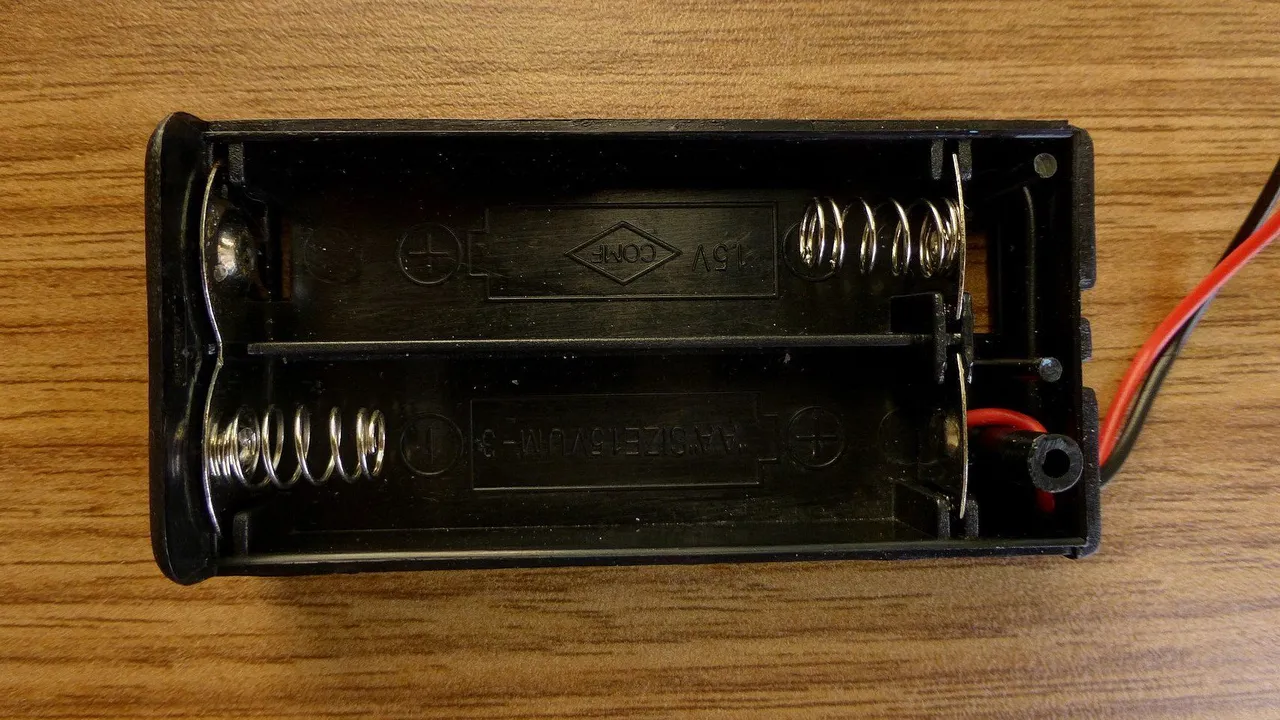
Photo: © Nevit Dilmen · CC BY-SA 3.0
Your robot drives off, stops for a moment, and starts its program again from the beginning. Or it works on the desk and fails on the floor. The code is usually fine. The power is not. When the motors suddenly take a large current, the battery's voltage dips, and the Arduino restarts.
The supply gives voltage, the load takes current
A battery offers a voltage. It does not push current into the parts. Each part takes the current it needs: the Uno takes a little, a driving motor takes more, and a stalled motor takes the most.
No battery is perfect. It has a small resistance inside, and the current loses some voltage there. The more current the robot takes, the lower the voltage at the battery's terminals. Old cells have more resistance inside, so their voltage drops further.
The numbers on the CoreEngine robot car
| Where | Voltage | Why |
|---|---|---|
| Four fresh alkaline AA cells | about 6 V | 4 × 1.5 V |
| Four nearly empty cells | about 4.8 V | 4 × 1.2 V |
| The motors, through the L298N | about 4.2 V from 6 V | about 1.8 V stays inside the L298N |
| The Uno's 5V pin, from the L298N's +5V | about 4.4 V from 6 V | the L298N's regulator needs about 7 V to give a full 5 V |
| The Uno's brown-out level | about 2.7 V | below this, the chip resets itself |
The fourth row is the weak point. The L298N's regulator already gets less than it needs, so its output follows the battery. When the battery dips by a volt, the Uno's 5V pin dips by about a volt too.
Start and stall current
| One TT motor | Current |
|---|---|
| Turning freely, no load | about 0.1-0.15 A |
| Driving the robot | about 0.3 A |
| Stalled: blocked, at full power | up to about 1 A |
A turning motor makes its own voltage, which works against the battery and keeps the current low. A motor that stands still makes no such voltage, so it takes the most current. This happens when the wheels are blocked. It also happens for a short moment at every start, before the motor begins to turn. Two motors starting together can ask for up to about 2 A.
Reversing at full speed takes even more current. The motor still turns forwards when you drive it backwards, so its own voltage now adds to the battery's instead of working against it.
So resets come at typical moments: when the robot starts, spins on the spot, reverses or runs into something.
What a brown-out looks like
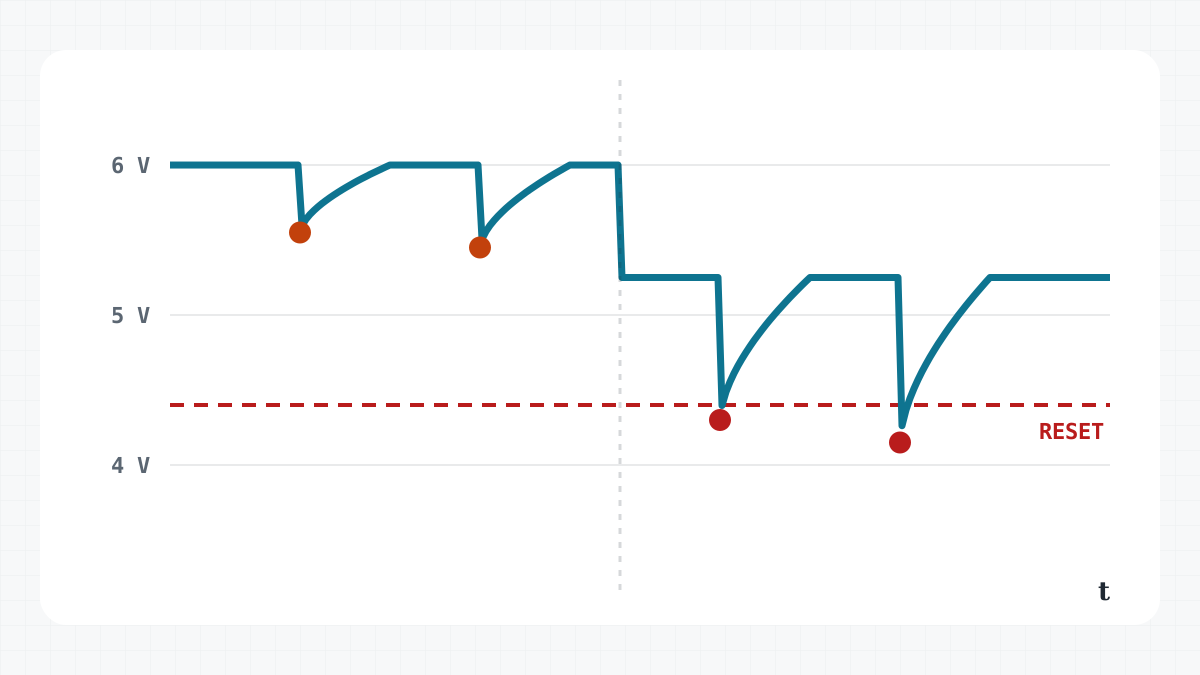
A brown-out is a short dip in the supply. The ATmega328P on the Uno watches its own supply voltage. Below its brown-out level, about 2.7 V on the Uno, it holds itself in reset. When the voltage comes back, the program starts again from the beginning. Between its normal voltage and that level, the chip may keep running, or it may do strange things.
Typical signs:
setup()runs a second time. The First drive robot, for example, waits its one second again and starts a new square.- It happens when the motors start, reverse or stall.
- It works with fresh cells and begins to reset as they run down.
- It works while the USB cable is plugged in, and resets on batteries alone. With USB, the computer keeps the Uno's 5V steady.
- The robot does odd things that you cannot explain from the code.
To make resets easy to see, let the Uno's L LED on D13 blink three times at the start of setup():
void setup() {
  pinMode(13, OUTPUT);             // the Uno's L LED
  for (int i = 0; i < 3; i++) {    // three quick blinks: "I have just started"
    digitalWrite(13, HIGH);
    delay(100);
    digitalWrite(13, LOW);
    delay(100);
  }
  // ...then the rest of your setup()
}
If the three blinks appear while the robot drives, it has just reset.
USB has limits too
On the desk, the Uno usually runs from the USB cable. USB gives about 5 V and at most 500 mA. That is plenty for the Uno, an LED and the HC-SR04, but not for motors. Even one SG90 servo can take up to about 0.7-1 A for a moment when it starts to move. The Uno has a resettable fuse on its USB power: when too much current flows, it cuts the power until the overload is gone.
How to fix it
Fresh cells. Used alkaline cells have more resistance inside, so they dip further. When resets begin after some minutes of driving, change the cells first.
NiMH cells, with one condition. Rechargeable NiMH cells keep their voltage much better under a large current, so the dips are smaller. But they give 1.2 V each, about 4.8 V for four. Through the L298N's regulator, the Uno and the HC-SR04 would then get clearly less than 4.4 V. Use them together with a separate supply for the Uno.
Two Li-ion cells (2S), with care. Two Li-ion cells in series give about 7.4 V: 8.4 V when full, about 6 V when empty. For most of the charge, the L298N's regulator then gets the 7 V it needs, so the Uno gets a proper 5 V. The motors get about 5.6 V after the L298N's loss, inside their range.
A capacitor. An electrolytic capacitor of 100-470 µF across the L298N's +12V and GND is a small store of charge right where the current is needed. It covers the first moment of a surge, so the dip is smaller. Check its polarity: the stripe marks the minus lead. Choose a voltage rating above your battery's, for example 16 V. It cannot help against a long stall.
Separate supplies. Let the AA cells feed only the L298N's +12V, and give the Uno its own 5 V, for example a USB power bank in its USB socket. Then remove the wire from the L298N's +5V to the Uno's 5V, and power the HC-SR04 from the Uno's 5V. Some power banks switch off when the current is very small, so test yours.
Common ground. Whatever you change, keep the battery's minus, the L298N's GND and the Uno's GND joined. The Uno's signals are measured against its GND. Without a common ground, the L298N cannot read them.
Short power wires. A long, thin wire has resistance too, and it adds its own dip. Keep the wires from the battery to the L298N short and not too thin.
Gentle code. Raise the speed in steps, as the MotorTest sketch does, instead of jumping from 0 to 255. Stop for a moment before you reverse.
What the simulator shows
The CoreEngine simulator checks the wiring before the robot drives. It warns when the battery is on the Uno's 5V pin, which burns the board. It warns when the L298N's +5V goes to the Uno's VIN: VIN needs 7-12 V, because it feeds the Uno's own regulator. It also reports a missing common ground, a missing battery and an L298N without motor supply. And it notes that the L298N's regulator gives a little under 5 V from four AA cells, which works, as on a real kit. In the arena, a live readout shows the battery while you drive.
Get the wiring right in the simulator first. On the real robot, watch for the signs above. For more about the motors and their driver, read TT gear motors: what the numbers mean and L298N, L9110S or TB6612: which motor driver?.