How an ultrasonic sensor sees, and when it does not
How the HC-SR04 measures distance with sound, why soft, slanted and thin objects can vanish, and how to time, filter and mount the sensor on a robot.
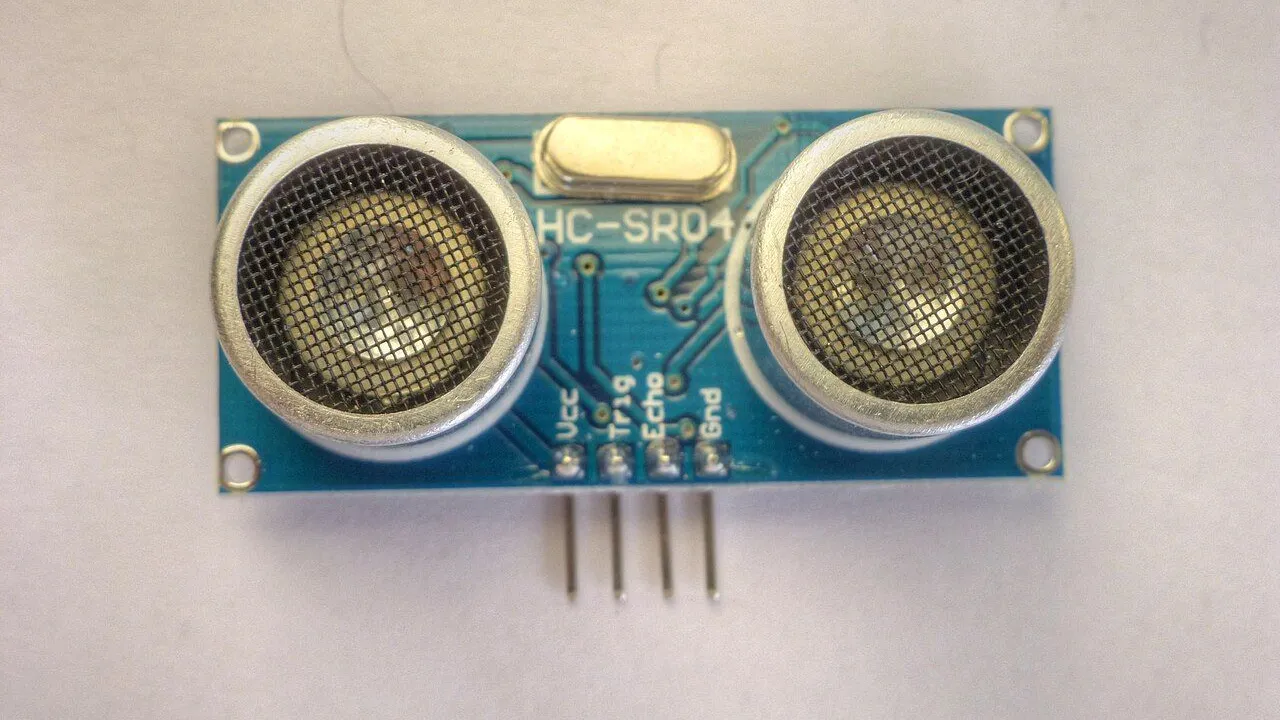
Photo: © Nevit Dilmen · CC BY-SA 3.0
An ultrasonic sensor such as the HC-SR04 does not see light. It sends out sound and listens for the echo. Once you know how that works, you can also predict when it will fail, and write your robot's code for those moments.
Sound there and back
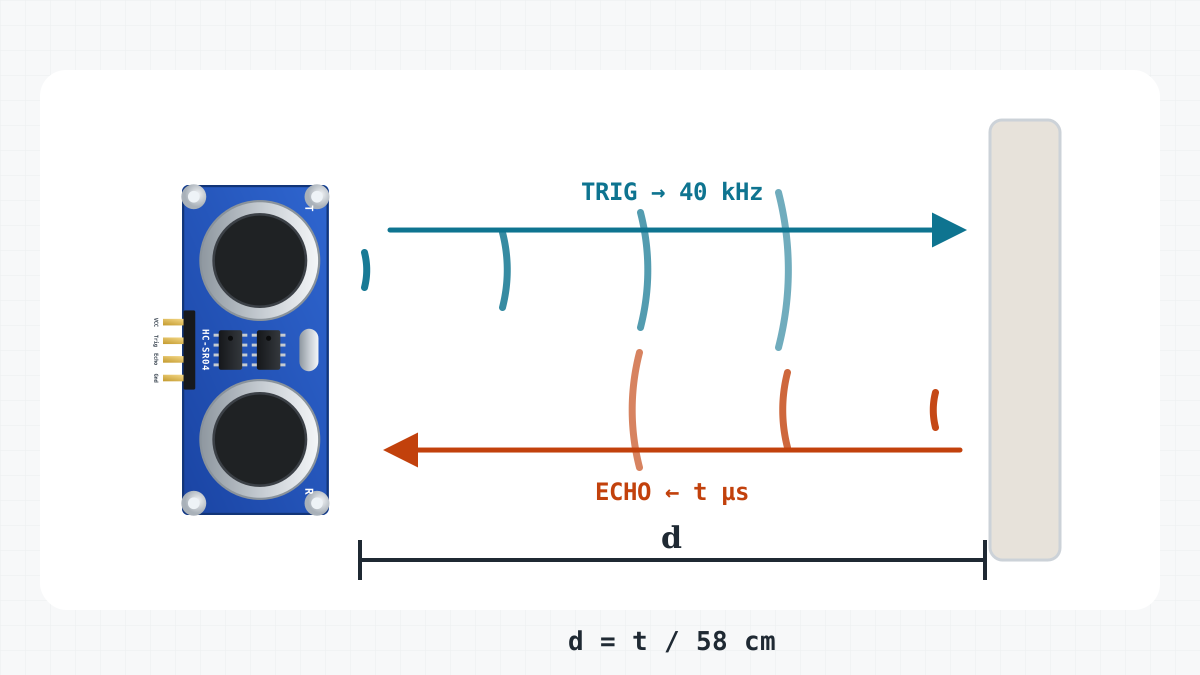
A pulse of at least 10 µs on TRIG starts a measurement. The sensor sends a short burst of sound at 40 kHz, far above what people can hear (up to about 20 kHz). Then it sets its ECHO pin HIGH and keeps it HIGH until the echo returns. The length of that pulse is the time the sound needed to reach the object and come back.
Sound travels about 343 m/s at 20 °C, so it needs about 29 µs for one centimetre. There and back, that is 58 µs for each centimetre of distance:
| ECHO pulse | Distance |
|---|---|
| 116 µs | 2 cm, the shortest it measures |
| 1,160 µs | 20 cm |
| 5,800 µs | 1 m |
| 23,200 µs | 4 m, about the longest |
This is the function the site's sketches use:
int readDistanceCm() {
  digitalWrite(TRIG, LOW);
  delayMicroseconds(2);
  digitalWrite(TRIG, HIGH);            // at least 10 microseconds starts a measurement
  delayMicroseconds(10);
  digitalWrite(TRIG, LOW);
  unsigned long us = pulseIn(ECHO, HIGH, 25000UL);  // echo pulse length, 0 after 25 ms
  if (us == 0) return 400;
  return us / 58;                      // there and back at 343 m/s: 58 us per cm
}The beam is a cone
The sound does not travel as a thin line. It spreads in a cone about 15 degrees wide. At 1 m from the sensor, the cone is about 26 cm across. At 2 m, it is about half a metre.
This has three effects on a robot:
- The sensor reports the nearest object anywhere in the cone, not only straight ahead. A table leg to one side can stop the robot in an open corridor.
- It gives only a distance. It does not tell you where in the cone the object is.
- Close to the robot, the cone is narrower than the robot itself. An obstacle that will hit a wheel or a corner of the body can be outside the cone. So can a low step below it, or a table top above it. These are the blind spots.
Surfaces that do not answer
The sensor can only measure an echo that comes back. Some objects do not send one:
- Soft things, such as curtains, cushions, clothes and foam, absorb much of the sound. The echo is weak or missing.
- Slanted surfaces reflect the sound away, the way a mirror reflects light. A wall that the robot approaches at a shallow angle, almost moving along it, can send nothing back at all.
- Thin or round things, such as chair legs and poles, return only a little sound. They may be seen late, or not at all.
- Corners can bounce the sound from wall to wall. The echo comes back late, and the reading is too long.
A missing echo is the dangerous case. pulseIn() waits 25 ms, gets nothing and returns 0, and readDistanceCm() turns that into 400. To the robot, 400 means "nothing within about 4 m", even when a slanted wall is right in front of it.
The minimum distance
Below about 2 cm, readings cannot be trusted. An echo from so close comes back while the sensor is still sending its own burst. On a robot this rarely matters, because the robot should react much earlier: the Obstacle-avoiding robot drives backwards when something is closer than 25 cm.
It matters more that no part of the robot sits in the cone. A wire, the ball caster or the front edge of the deck in the beam gives a steady, wrong reading.
Old echoes and two sensors
Sound stays in a room for a short while and bounces from wall to wall. If you ping again too soon, a late echo from the last ping can arrive and look like a new, close object. So wait about 60 ms between pings. The ObstacleAvoider sketch measures every 60 ms for this reason.
Two HC-SR04 sensors use the same 40 kHz, so each one can hear the other's sound. Ping them one after the other, with the same pause between them, never at the same moment. Two robots whose sensors face each other can disturb each other in the same way.
Temperature
The speed of sound changes by about 0.6 m/s for every degree Celsius, and the 58 in the code assumes about 20 °C. At 0 °C, sound is slower, about 331 m/s, so a wall 1 m away reads about 104 cm. In a hot room, the readings come out a little short. If you know the temperature and need exact distances, use speed = 331 + 0.6 × temperature (in m/s), and distance in cm = pulse length in µs × speed / 20,000. For a robot that avoids walls, the other effects on this page matter much more.
Timing: pulseIn() waits
pulseIn() blocks: while it waits for the echo, the Arduino does nothing else. Without its third argument, it waits up to one second, and all that time the robot drives on without new readings. The site's sketches give it 25,000 µs, a little more than the 23,200 µs of an echo from 4 m.
Also think about how far the robot moves between readings. At 0.5 m/s, it moves 3 cm in 60 ms. A median of three readings, 60 ms apart, takes about 180 ms, and the robot moves about 9 cm meanwhile. This is why the ObstacleAvoider sketch measures with millis() timers and keeps driving between pings. The lesson Programs that never wait shows how.
Filtering: throw away single jumps
Real readings jump now and then. A missed echo gives 400. A stray echo gives a value that is too short. An average does not fix this: the average of 20, 20 and 400 is about 147. The median, the middle value of the three, is 20.
int median3(int a, int b, int c) {
  if ((a <= b && b <= c) || (c <= b && b <= a)) return b;
  if ((b <= a && a <= c) || (c <= a && a <= b)) return a;
  return c;
}
The DistanceMeter sketch prints the median of three readings. One wrong value out of three disappears. Two wrong values in a row get through.
A second rule helps when the robot measures often: believe a big jump only when the next reading agrees. At 0.5 m/s, the robot gets only 3 cm closer between two pings. A reading that differs from the last one by, for example, 50 cm is either an error or a new object. One more ping, 60 ms later, tells you which.
Where to mount it on a robot
- At the front, pointing straight ahead, and level. Tilted down, it can see the floor. Tilted up, it misses low obstacles.
- With its two round transducers sticking out past the front edge. Keep wires and the ball caster out of the beam.
- Firmly. A loose sensor points somewhere new after every bump.
- On the CoreEngine robot car: VCC to the L298N's +5V, GND to the Uno's GND, TRIG to D9 and ECHO to D10.
The lesson Measuring distance with the HC-SR04 goes through the wiring and the DistanceMeter sketch, which you can run in the simulator while you watch the arena's live distance readout. The Keep-distance robot then uses the same readings to follow your hand. The Market has the sensor.