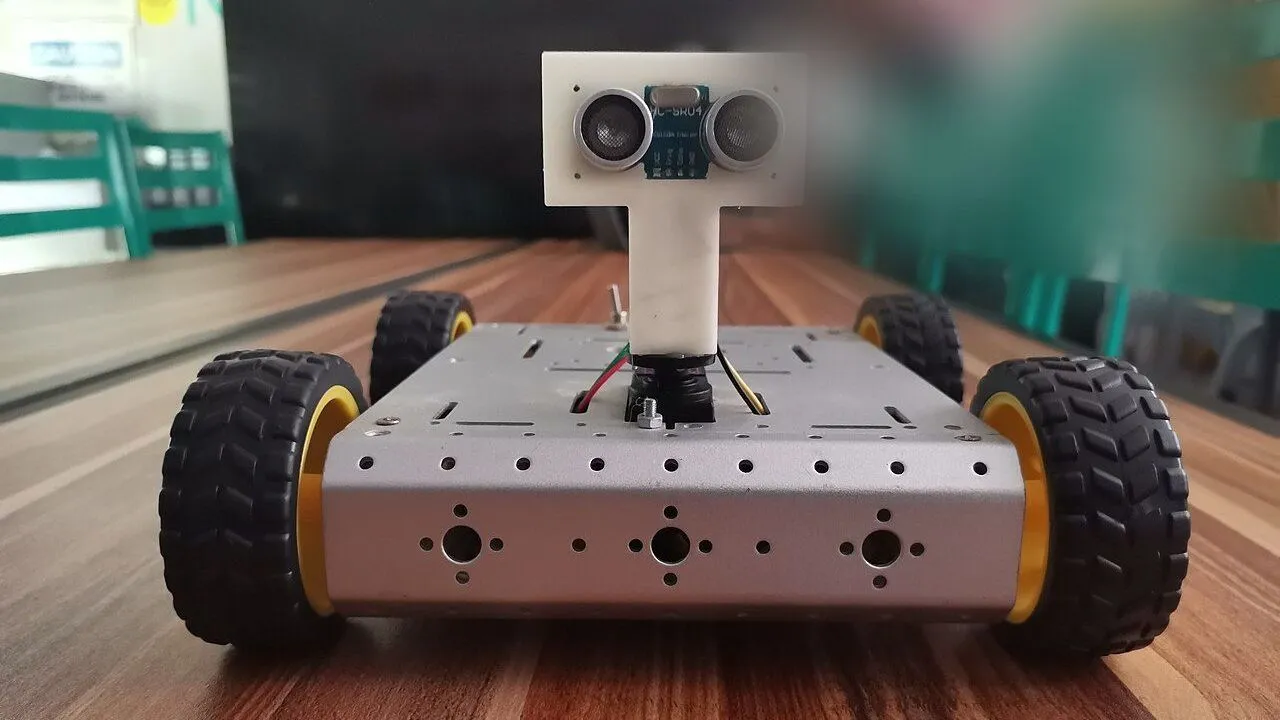
This robot drives around a room by itself and turns away from whatever is in its way. An ultrasonic sensor at the front measures the distance ahead. When something is closer than 25 cm, the robot drives backwards, turns right and drives forward again. You will learn how the HC-SR04 measures distance, how a state machine organises what the robot does, and how millis() lets the robot measure while it moves. It is an easy project and takes about 60 minutes.
What you need
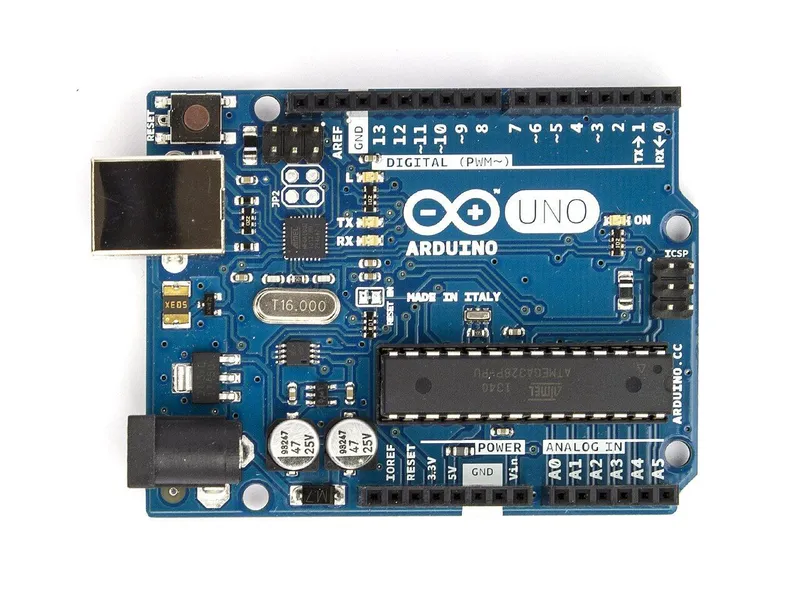 Arduino Uno R3In the simulator× 1See the price in the shop
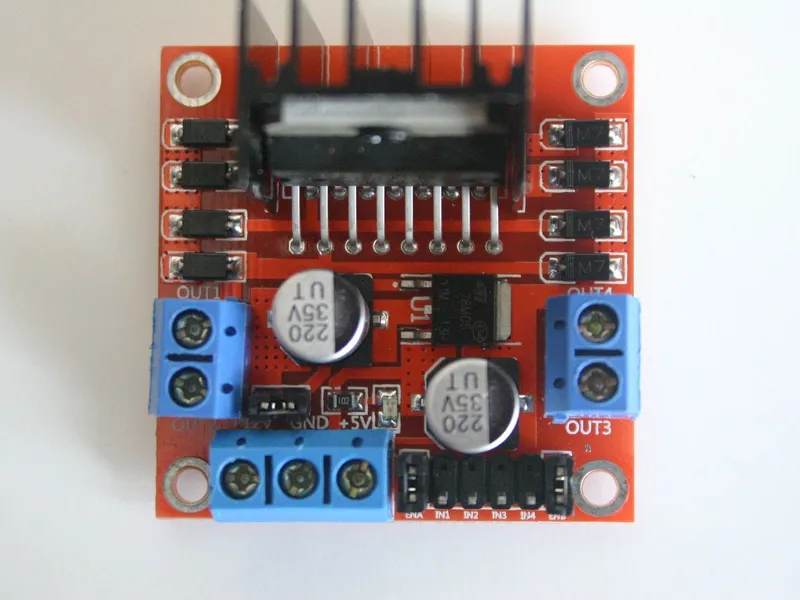 L298N motor driver moduleIn the simulator× 1See the price in the shop
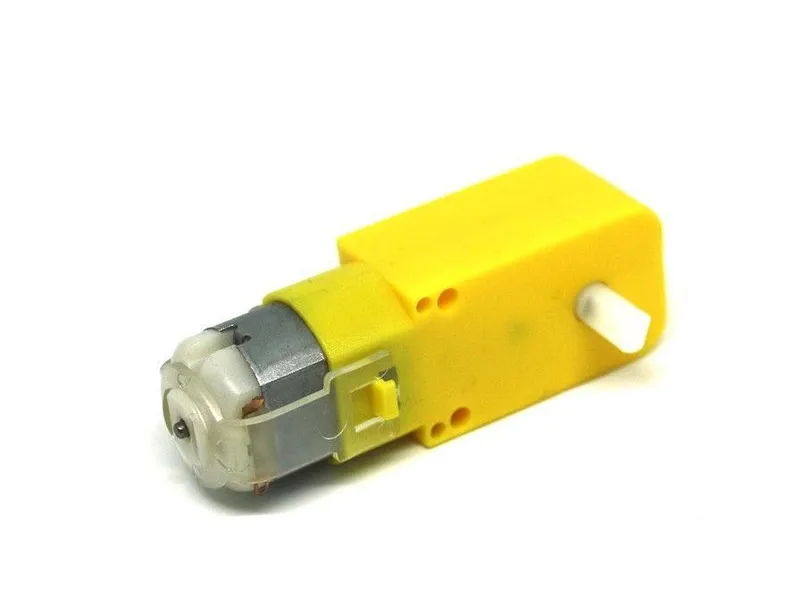 TT gear motor 1:48 with 65 mm wheelIn the simulator× 2See the price in the shop
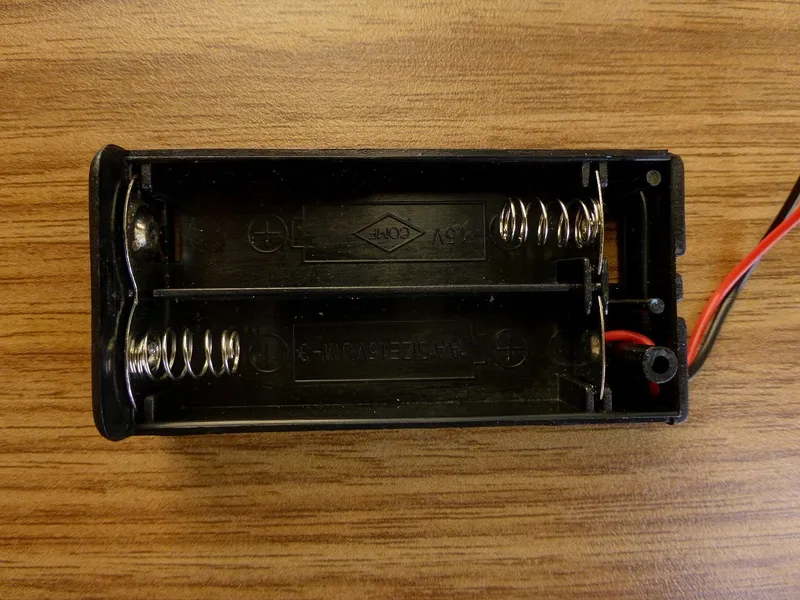 4 × AA battery holderIn the simulator× 1See the price in the shop
 Ball caster 20 mmIn the simulator× 1See the price in the shop
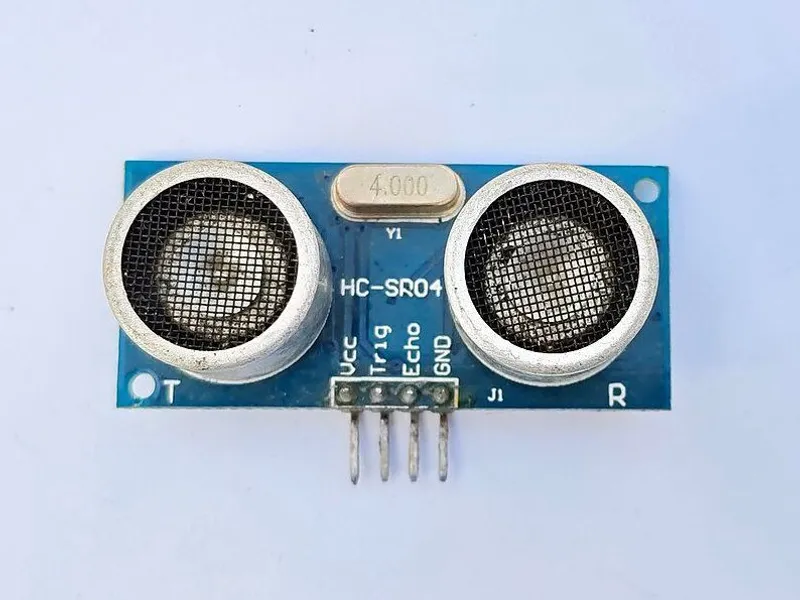 HC-SR04 ultrasonic sensorIn the simulator× 1See the price in the shop
 Jumper wire set× 1See the price in the shop
This is the car from First drive with an HC-SR04 ultrasonic sensor at the front. If you already have the car, see the obstacle add-on in the Market.
How it works
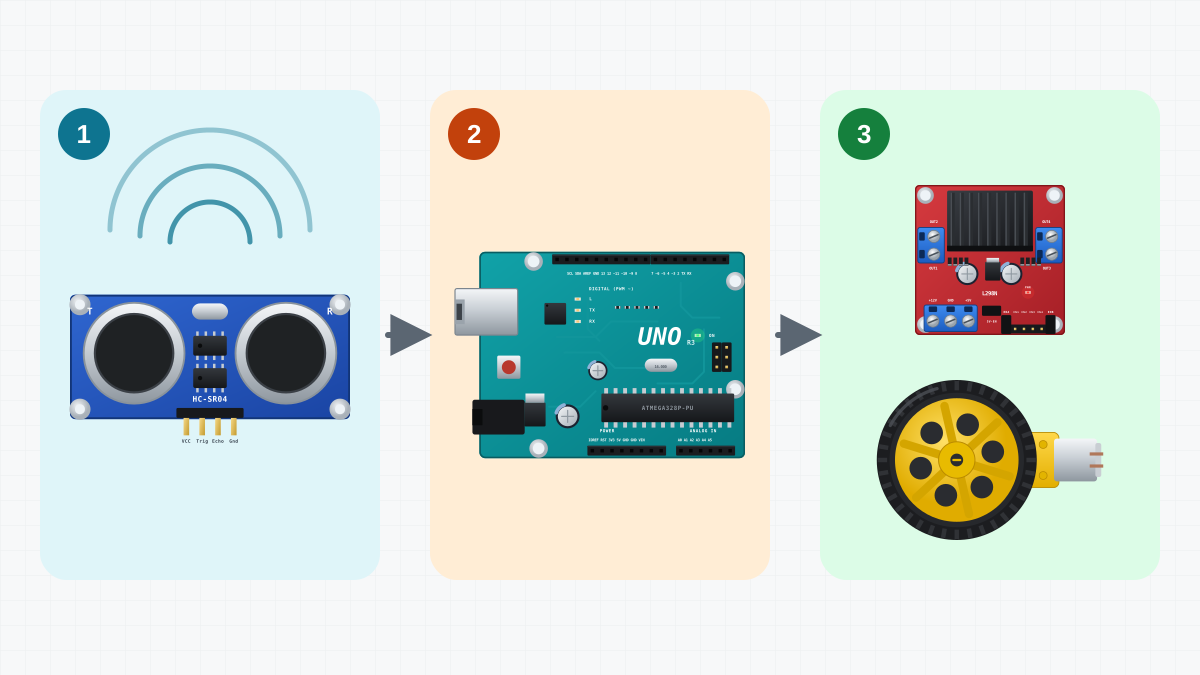
How the HC-SR04 measures distance
The HC-SR04 has two round parts on its front. One sends ultrasound: sound at 40 kHz, too high for people to hear. The other one listens for the echo. One measurement works like this:
- The Uno sets TRIG HIGH for 10 µs, and the sensor sends a short burst of ultrasound.
- The sensor sets ECHO HIGH and listens.
- When the echo comes back, the sensor sets ECHO LOW again.
So ECHO stays HIGH for as long as the sound needs to travel to the object and back. Sound travels about 343 m/s at 20 °C. For each centimetre of distance, the sound travels 2 cm, there and back, and that takes about 58 µs. So the distance in centimetres is the ECHO time in microseconds divided by 58. For example, 1450 µs means 1450 / 58 = 25 cm.
The sensor has limits:
| Limit | What it means for the robot |
|---|---|
| Range about 2 cm to 4 m | nearer or farther things give wrong readings or none |
| Beam about 15 degrees wide | things beside the beam are not seen |
| Soft or slanted surfaces | the sound is absorbed or goes off at an angle, so no echo comes back |
| About 60 ms between pings | old echoes need time to fade |
A state machine
At every moment, the robot does exactly one of three things. Each of them is a state:
| State | Motors | The state ends when | Next state |
|---|---|---|---|
| Drive | drive(190, 190): forwards |
something is closer than 25 cm | Back |
| Back | drive(-160, -160): backwards |
300 ms have passed | Turn |
| Turn | drive(170, -170): spins right |
380 ms have passed | Drive |
A state machine is a program built this way: a list of states, what the robot does in each one, and the rules for moving to the next. Each state is separate, so the behaviour is easy to read and easy to change.
Measuring without waiting
loop() never calls delay(). It runs thousands of times per second, and each time it does two jobs:
- Measure, if it is time. If 60 ms have passed since the last measurement, it measures the distance and prints it.
- Run the current state. It sets the motors and checks whether the state should end.
To know how much time has passed, the sketch uses millis(), the number of milliseconds since the Uno started. Only the measurement itself waits a little, because pulseIn() waits for the echo. For an obstacle 25 cm away, that takes about 1.5 ms. With nothing in range, it gives up after 25 ms. The motors keep running during this short wait.
Why not simply write delay(300) for the Back state? Because the robot would be blind during that wait. With the state machine, it measures every 60 ms in every state. This sketch does not use the readings during Back and Turn yet, but you can: the first challenge makes the robot stop turning as soon as the way is clear.
Build it
1. Get the robot in the simulator
Obstacle avoider, the car that comes with the game, already has the HC-SR04 at the front of the upper deck. Its wires are not the ones on this page, so you redo them in step 2.
Real build: start from your car from First drive. Mount the HC-SR04 at the front, level, with both round parts looking straight ahead. If it points down, it sees the floor. If it points up, it misses low obstacles.
2. Wire the sensor
| From | To | Why |
|---|---|---|
| Battery + | L298N +12V | Motor power: about 6 V from four AA cells |
| Battery - | L298N GND | The battery’s minus |
| L298N +5V | Uno 5V | The driver’s regulator powers the Uno: about 4.4 V |
| L298N GND | Uno GND | Common ground: the signals need the same 0 V |
| Uno D5 | L298N ENA | Left motor speed (PWM); the ENA jumper is removed |
| Uno D4 | L298N IN1 | Left motor direction |
| Uno D7 | L298N IN2 | Left motor direction |
| Uno D8 | L298N IN3 | Right motor direction |
| Uno D12 | L298N IN4 | Right motor direction |
| Uno D6 | L298N ENB | Right motor speed (PWM); the ENB jumper is removed |
| Left motor M+ | L298N OUT1 | |
| Left motor M- | L298N OUT2 | |
| Right motor M+ | L298N OUT4 | Swapped on purpose: this motor is mounted mirrored |
| Right motor M- | L298N OUT3 | Swapped on purpose: this motor is mounted mirrored |
| HC-SR04 VCC | L298N +5V | 5 V for the sensor |
| HC-SR04 GND | Uno GND | Ground |
| Uno D9 | HC-SR04 TRIG | Starts a measurement: a 10 µs pulse |
| Uno D10 | HC-SR04 ECHO | A pulse as long as the echo’s trip there and back |
The car's wiring stays as in First drive. Four wires connect the sensor: VCC to the L298N's +5V, GND to a GND pin of the Uno, TRIG to D9 and ECHO to D10. The L298N's +5V is the same 5 V that powers the Uno, because a wire joins it to the Uno's 5V pin.
Real build: the +5V terminal already holds the wire to the Uno. Put the sensor's VCC wire into the same terminal, next to it, then tighten the screw. Check TRIG and ECHO twice, because they are easy to swap.
3. Upload and test
Open Code, paste the ObstacleAvoider sketch from this page, press Verify, then Upload.
Real build: set the car on a box with the wheels in the air, connect the USB cable and upload. Open the Serial Monitor at 9600 baud. Move your hand in front of the sensor: the numbers follow your hand. When your hand is closer than 25 cm, the wheels turn backwards and then spin right.
4. Let it drive
Start a run in an arena with obstacles. The robot drives until something is closer than 25 cm, then drives backwards, turns and drives forward again. Open the Serial Monitor: the robot prints one distance in centimetres every 60 ms. A reading of 400 means that no echo came back, so nothing is within about 4 m. The live readout shows the distance too.
Real build: unplug the USB cable and put the car on the floor between a few boxes or books. Hard, flat objects give the best echoes.
5. Adjust the numbers
| Setting | What it does | Try this |
|---|---|---|
STOP_CM = 25 |
how close an obstacle may come | 35 if the robot bumps into things |
CRUISE = 190 |
forward speed | 150 for a calmer robot |
BACK_MS = 300 |
how long it drives backwards | longer in tight spaces |
TURN_MS = 380 |
how long it spins | 600 for a bigger turn |
A faster robot needs a bigger STOP_CM, because it needs more distance to stop.
The code
// Obstacle avoider: drive ahead; when something is close, back off and turn.
// Written without delay() in loop(): a state machine and millis() timers,
// so the robot keeps measuring while it moves.
// L298N: ENA -> D5, IN1 -> D4, IN2 -> D7 (left), ENB -> D6, IN3 -> D8, IN4 -> D12 (right)
// HC-SR04: TRIG -> D9, ECHO -> D10

const byte ENA = 5, IN1 = 4, IN2 = 7;
const byte ENB = 6, IN3 = 8, IN4 = 12;
const byte TRIG = 9, ECHO = 10;

const int CRUISE = 190;               // forward speed, 0..255
const int STOP_CM = 25;               // closer than this: avoid it
const unsigned long PING_MS = 60;     // the HC-SR04 needs a pause between pings
const unsigned long BACK_MS = 300;
const unsigned long TURN_MS = 380;

enum class State : byte { Drive, Back, Turn };
State state = State::Drive;
unsigned long stateStart = 0;
unsigned long lastPing = 0;
int distanceCm = 400;

void setMotor(byte enablePin, byte inA, byte inB, int speed) {
  speed = constrain(speed, -255, 255);
  digitalWrite(inA, speed > 0);
  digitalWrite(inB, speed < 0);
  analogWrite(enablePin, abs(speed));
}

void drive(int left, int right) {
  setMotor(ENA, IN1, IN2, left);
  setMotor(ENB, IN3, IN4, right);
}

// Distance in centimetres; 400 when no echo came back (nothing within about 4 m).
int readDistanceCm() {
  digitalWrite(TRIG, LOW);
  delayMicroseconds(2);
  digitalWrite(TRIG, HIGH);            // a 10 microsecond pulse starts a measurement
  delayMicroseconds(10);
  digitalWrite(TRIG, LOW);
  unsigned long us = pulseIn(ECHO, HIGH, 25000UL);  // wait at most 25 ms
  if (us == 0) return 400;
  return us / 58;                      // sound goes there and back: 58 us per cm
}

void enter(State next) {
  state = next;
  stateStart = millis();
  if (next == State::Drive) lastPing = 0;  // measure again before driving on
}

void setup() {
  const byte pins[] = {ENA, IN1, IN2, ENB, IN3, IN4, TRIG};
  for (byte pin : pins) pinMode(pin, OUTPUT);
  pinMode(ECHO, INPUT);
  Serial.begin(9600);
}

void loop() {
  unsigned long now = millis();
  if (now - lastPing >= PING_MS) {
    lastPing = now;
    distanceCm = readDistanceCm();
    Serial.println(distanceCm);
  }

  switch (state) {
    case State::Drive:
      drive(CRUISE, CRUISE);
      if (distanceCm < STOP_CM) enter(State::Back);
      break;
    case State::Back:
      drive(-160, -160);
      if (now - stateStart >= BACK_MS) enter(State::Turn);
      break;
    case State::Turn:
      drive(170, -170);                // spin right on the spot
      if (now - stateStart >= TURN_MS) enter(State::Drive);
      break;
  }
}The state and the timers
enum class State : byte { Drive, Back, Turn };
State state = State::Drive;
unsigned long stateStart = 0;
unsigned long lastPing = 0;
int distanceCm = 400;
enum class State gives the three states names, and : byte stores a state in one byte. state holds the current state, and the robot starts in Drive. stateStart remembers when the current state began, and lastPing when the last measurement was taken. Both are unsigned long, the type that millis() returns. distanceCm starts at 400, which means "nothing seen".
readDistanceCm(): one measurement
  digitalWrite(TRIG, HIGH);            // a 10 microsecond pulse starts a measurement
  delayMicroseconds(10);
  digitalWrite(TRIG, LOW);
  unsigned long us = pulseIn(ECHO, HIGH, 25000UL);  // wait at most 25 ms
  if (us == 0) return 400;
  return us / 58;                      // sound goes there and back: 58 us per cm
Before these lines, TRIG is held LOW for 2 µs, so the pulse starts clean. pulseIn() measures how long ECHO stays HIGH, in microseconds. If no echo comes back within 25 ms, it returns 0, and the function returns 400. Otherwise, it divides by 58 to get centimetres.
enter(): changing state
void enter(State next) {
  state = next;
  stateStart = millis();
  if (next == State::Drive) lastPing = 0;  // measure again before driving on
}
Every change of state goes through enter(). It saves the new state and the time when it started. When the robot returns to Drive, lastPing = 0 forces a new measurement on the next pass through loop(). So the robot decides with a fresh distance, measured after the turn.
loop(): measure, then act
  unsigned long now = millis();
  if (now - lastPing >= PING_MS) {
    lastPing = now;
    distanceCm = readDistanceCm();
    Serial.println(distanceCm);
  }
now - lastPing >= PING_MS asks: "Have 60 ms passed?" Written as a subtraction, it stays correct even when millis() starts again from 0 after about 49.7 days.
Then comes a switch with one case for each state. Drive sets both motors to CRUISE and enters Back when distanceCm is below STOP_CM. Back drives backwards at 160 and enters Turn after BACK_MS. Turn spins right, with the left wheel forwards and the right wheel backwards, and enters Drive after TURN_MS. setMotor() and drive() are the same as in First drive.
If it does not work
- The Serial Monitor always shows 400. Nothing is in range, or the sensor is not wired correctly. Check VCC and GND, and check that TRIG goes to D9 and ECHO to D10.
- The Serial Monitor shows strange characters (real build). Set it to 9600 baud, the same speed as
Serial.begin(9600). - The robot drives into walls that it meets at an angle. A slanted wall reflects the sound away from the sensor. Soft things, such as curtains, absorb it. Raise STOP_CM or lower CRUISE.
- It drives backwards with nothing in front. The sensor may see the floor, so mount it level. A wire hanging in front of the sensor can also send back an echo.
- It hits chair legs or the corner of a box. Thin things send back little sound, and things beside the narrow beam are not seen. This is a limit of the sensor.
- A wheel turns the wrong way. Swap that motor's two leads, as in First drive.
- The robot resets when it starts to drive backwards. Changing from forwards to backwards at once needs a big current, and the battery voltage dips. Use new batteries and short power wires. Add a 100-470 µF capacitor across +12V and GND near the driver, with its - leg on GND. See why robots reset.
Next steps
This robot only answers "yes or no": closer than 25 cm, or not. The next project uses the distance itself to choose the speed: the keep-distance robot.
Learn more about timers and states in the lesson on millis() and states. For the sensor, read the lesson on the HC-SR04 and the article on how ultrasonic sensors see.
Make it better
- Leave the Turn state as soon as the way is clear, for example when the distance is more than 50 cm, instead of after a fixed time.
- Turn left or right at random: random(2) gives 0 or 1.
- Drive more slowly when an obstacle is between 25 and 50 cm away.